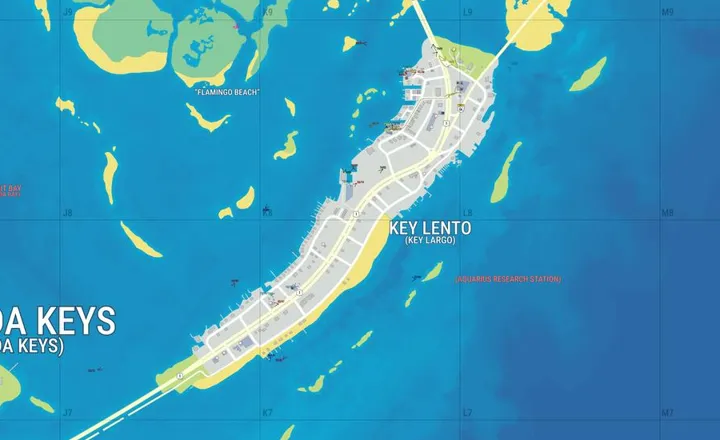
A Bottcher Duster can uncover Leonida’s map from the air in GTA VI. You can start as early as Chapter 1, once Jason can free-roam after Gone Fishing. Fully uncovering Leonida earns The Goodtime State trophy or achievement, as documented by PowerPyx and Beebom.
Where to find a Bottcher Duster
From Jason’s house in Key Lento, drive north toward Hamlet, then follow Boundary Road to the small airstrip in Mariana County. Look for the biplane beside the runway. If the strip is empty, check the second airstrip farther northwest in Mariana County, near the coast. A third strip in Kelly County gives you a place to swap planes after you move past the southern part of the map. PowerPyx maps all three airstrips.
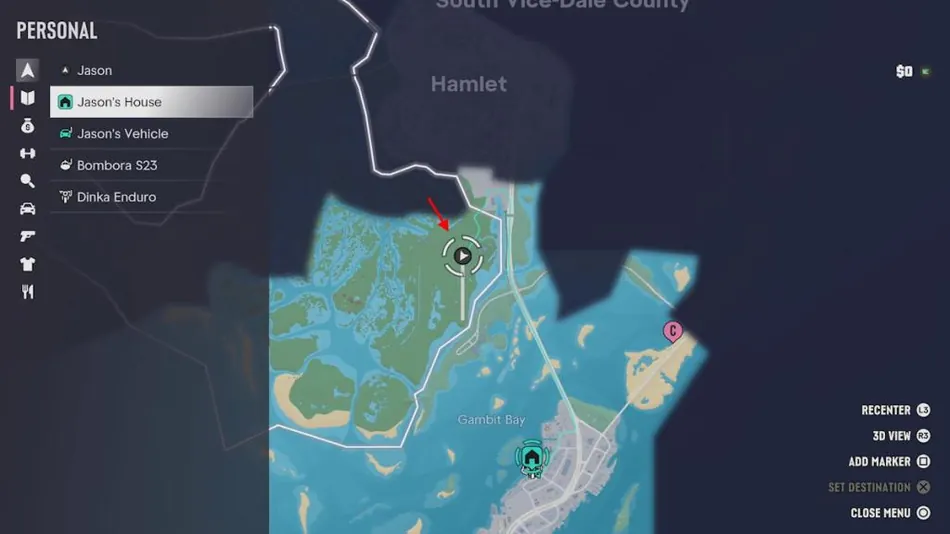
*The arrow marks the early airstrip in Beebom’s in-game map capture. The cover shows the Bottcher Duster in Beebom’s gameplay capture.*
How to clear the fog efficiently
1. Mark a covered area and fly into it. The map reveals sections of terrain as you cross them. Use the map after a pass to see which sections are still dark.
2. Work through one region at a time. Use the cleared edges to line up your next pass and check for isolated dark sections before you leave the area.
3. Watch your fuel. With the gauge enabled in the UI settings, it appears above the minimap. When it turns yellow, head to the nearest airstrip and look for another plane.
4. Land and make a manual save between regions. If you run out of fuel and crash, you’ll have a recent save to return to.
If you’re tracking other exploration goals at the same time, use the navigation guide to manage your waypoints and the 100% completion checklist to plan the rest of your run.