Sony says PS5 owners need a system software update before they can play Grand Theft Auto VI. The required release is 26.07-14.23.00, according to VGC and Push Square, both reporting PlayStation Support’s launch notice. Install it on your PS5 or PS5 Pro even if the GTA VI download already says it’s complete.
How to install the required PS5 update
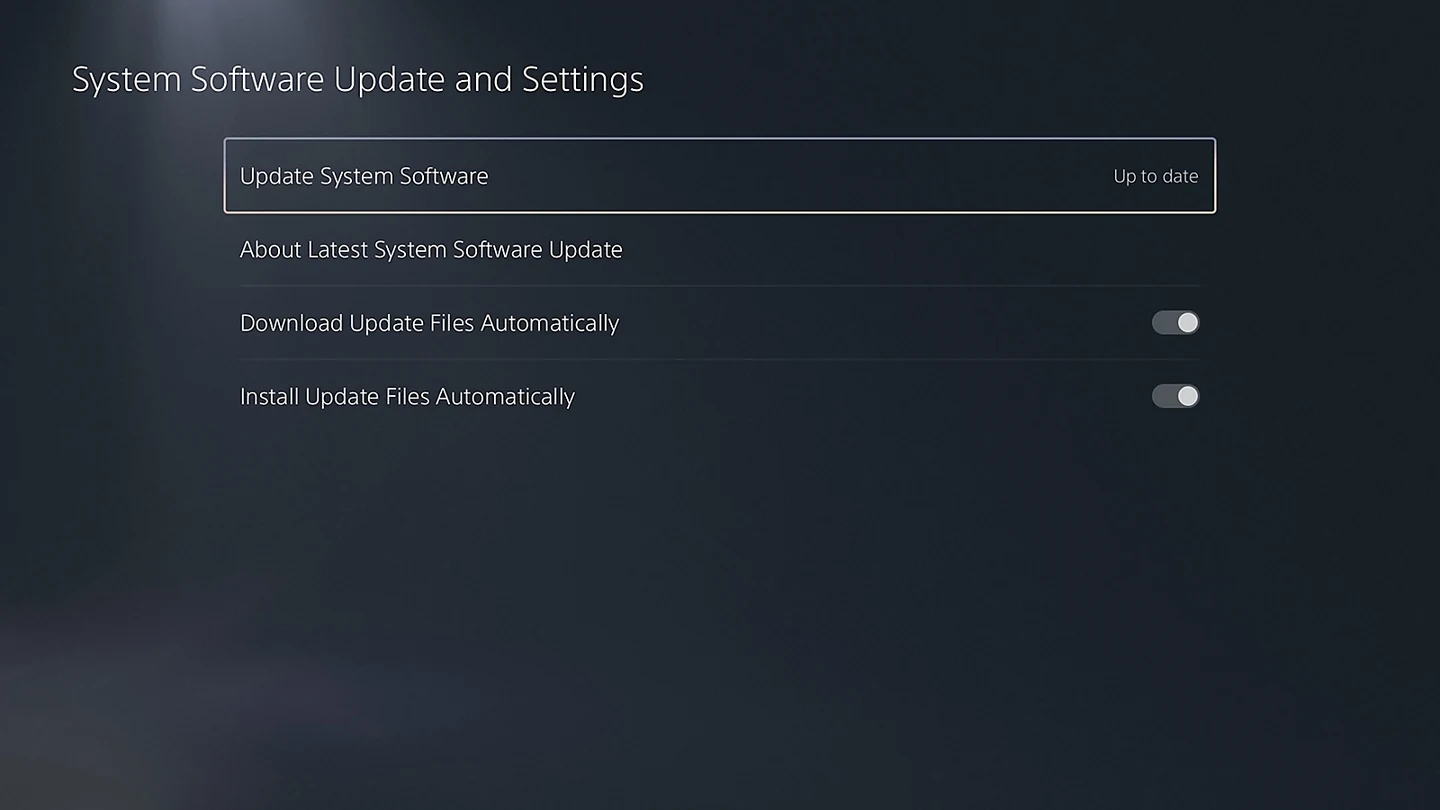
- From the PS5 home screen, open Settings → System → System Software → System Software Update and Settings.
- If the console shows Update Available, select Update System Software and follow the on-screen prompts. Let the installation finish and the console restart.
- To confirm it installed, go to Settings → System → System Software → Console Information and check the version. If your console already has 26.07-14.23.00 or a newer release, move on to checking the game itself.
If the update is stuck or GTA VI still won’t open
For a stalled system download, press the PS button, open Downloads/Uploads, select the system update and choose View Error Info → Try Again. After repeated failures, PlayStation’s system update instructions walk you through installing the update from a USB drive using Update System Software in Safe Mode. Sony’s reinstall option erases console data, so use the update procedure.
You can check game files separately. Highlight GTA VI on the PS5 home screen, press Options, then choose Check for Update. If the game still shows a release countdown, check your store’s unlock time. For a lock icon after release, PlayStation’s GTA VI support page covers verifying your order, restoring licenses and checking Console Sharing and Offline Play.
Sony describes this firmware release as containing system security fixes. The requirement is confirmed for launch. Reported GTA VI application updates are a separate download, and any gameplay changes attributed to them still need patch notes or independent testing. See our launch checklist and the New Zealand rollout report for release timing and pre-load details. PlayStation’s version and game-update menu guide shows both sets of controls.