Change Jason’s or Lucia’s clothes at a safehouse wardrobe. You can also save complete outfits to a personal vehicle’s trunk so you can change while you’re away from home. VGC’s hands-on guide shows the wardrobe and confirms that car storage is a separate step.
Use the safehouse wardrobe
1. Return to your active character’s safehouse and look for the Wardrobe interaction.
2. Open Outfits for complete looks, or step through Tops, Bottoms, Footwear, and Accessories to change individual pieces.
3. Preview a selection and confirm it. Clothes you buy or earn in missions go to the safehouse collection. VGC notes that if you pick up something in the world, such as a hat, return to the safehouse before counting on it being saved.
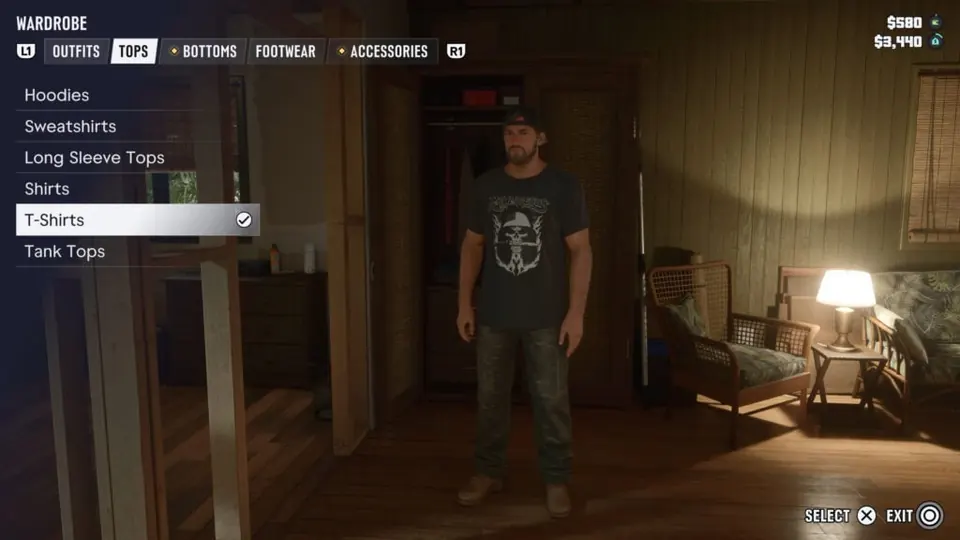
*The safehouse wardrobe in VGC’s gameplay capture. Cover artwork by Rockstar Games, via GeekRadar.*
Pack a spare outfit in your car
From the safehouse menu, select the outfit you want and use the option to save it to the vehicle. Buying an item puts it in the wardrobe. To have that look available on the road, save the whole outfit to the trunk separately.
Go to the rear of your personal vehicle, open the trunk interaction, and pick from the outfits you packed. GeekRadar and GamesRadar+ describe the wardrobe and personal-vehicle loadout steps. If the outfit is missing, check that you packed it for the character and personal vehicle you’re using.
For more on changing rides, see how to register or recover a personal vehicle. For edition-specific items, see where the Ultimate Edition bonuses appear.