GTA VI launches with third-person movement and driving. There’s no toggle that keeps you in first person for an entire playthrough. Push Square and VGC independently found limited first-person views for stationary inspection and aiming with compatible weapon optics. Some story scenes also use a close-up perspective automatically.
Inspect an object up close
The close-up view is handy for reading a sign or looking closely at a shelf. On the PS5 layout Push Square tested, stand still, hold L2 while looking at an object, then click R3. Keep L2 held while you look around. The view is for inspecting from where you stand. If the camera returns to third person when you try to move, stop and use the input again.
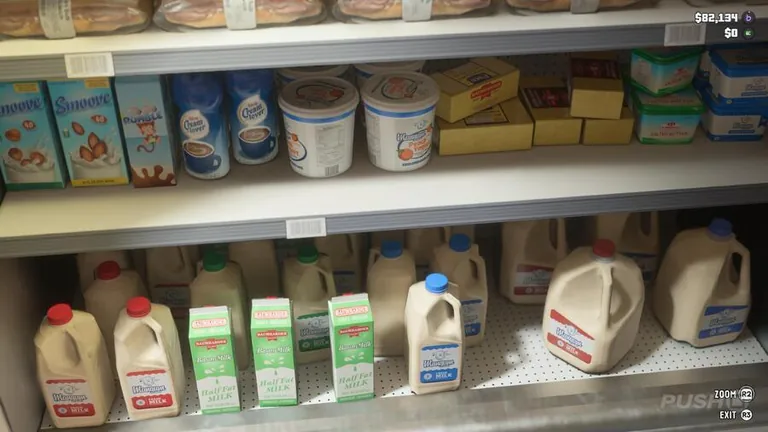
*Actual close-up inspection in Push Square’s PS5 capture.*
Aim down sights with a compatible optic
On PS5, hold L2 to aim and press R3 with a supported optic equipped. Push Square found you can still strafe while aiming through the sight. Click R3 again or release L2 to go back to the normal camera. If the view stays over your shoulder, check the weapon’s Attachments → Optics menu.
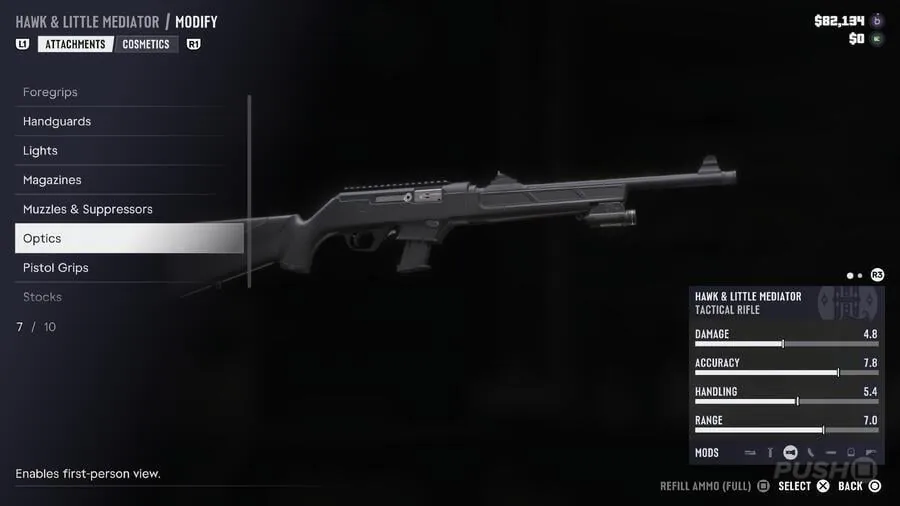
*The Optics menu in Push Square’s capture identifies attachments that enable the view.*
The console button labels above are for PS5. If you use a different layout or Xbox, check Project VI’s controller guide and the prompts for your scheme. For a different HUD while exploring, see the navigation preset guide. Rockstar has yet to announce a full first-person play mode.