You can fast travel in GTA VI by booking a ride and paying to skip the journey. The first option is Paradise Taxi in Chapter 1. The RydeMe phone app arrives in Chapter 2. The skip costs $100 on top of the fare in launch builds documented by PowerPyx and VGC.
Chapter 1 · Call Paradise Taxi
1. Finish the opening mission. PowerPyx identifies it as Gone Fishing.
2. Press Up on the D-pad to open the phone. Choose Contacts → All Contacts → Paradise Taxi and wait for the pickup.
3. Place a waypoint on the map and get in the cab. Look for a white vehicle icon on the minimap if the driver stops nearby.
4. Hold L2 on PS5 or LT on Xbox to focus on the driver, then use Triangle or Y to pay for the skip. Riding the whole way avoids the extra skip charge.
Chapter 2 onward · Open RydeMe
When the story adds RydeMe to the phone, open the app and choose a destination. After the car arrives, use the same driver interaction to skip the ride. GamesRadar+ reports that Paradise Taxi takes pocket cash while RydeMe draws from BuckMe. If RydeMe says a driver is unavailable, try Paradise Taxi from Contacts. VGC also found that a pickup can be canceled if a driver cannot reach you. Move to a nearby road and request the trip again.
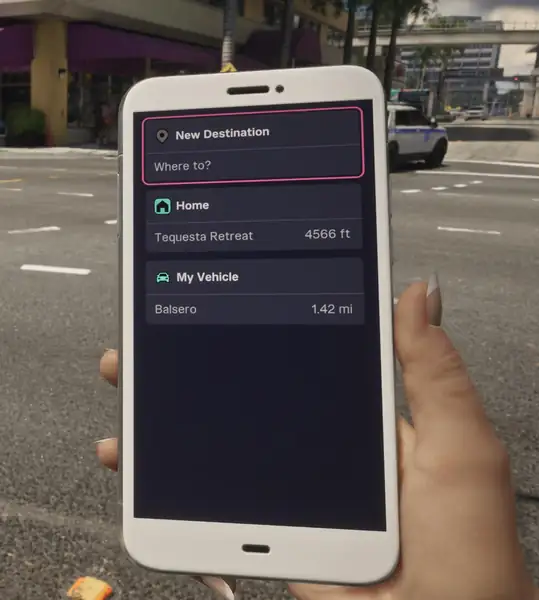
*Gameplay capture from GamesRadar+’s fast-travel guide. Game imagery © Rockstar Games.*
The $100 skip is useful for a long trip or when you need to get back to a safehouse quickly. If money is tight early in the story, check the fare before ordering and let the driver take you the full distance. For other tools on the same phone, see the GTA VI phone apps guide. For the full controller setup, use the PS5 and Xbox controls guide.