Tap Up on the D-pad to pull out Jason or Lucia’s iFruit in GTA VI. Insider Gaming’s PS5 and Xbox controls list that shortcut on both consoles. On PS5, highlight an app and press Cross to open it, or Circle to back out. ViceManual captured the phone in use during New Zealand’s unlock. See the original hands-on capture.
The home screen shows the in-game time, local temperature, and a Reminders widget. If you’ve just finished a mission and want to check what came in while you were playing, start there or look for the notification badge on WhatUp.
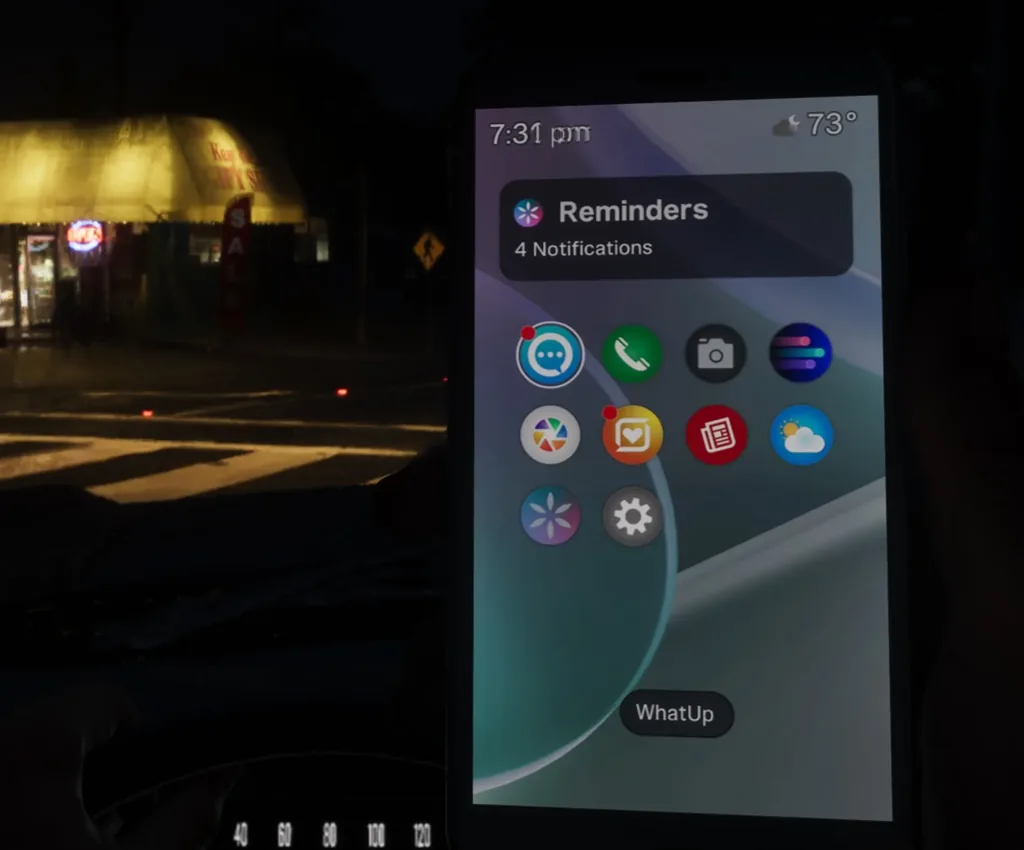
*Screenshot: ViceManual. Game imagery © Rockstar Games.*
Which apps are worth opening first?
| App | What you can check |
|---|---|
| WhatUp | Open message threads and see what characters have sent you. |
| Contacts | Call people or businesses saved in the phone. |
| Weather | Check the current conditions, hourly forecast, and sunset for the area you’re in. |
| News | Browse headlines from Weazel News, The Leonida Journal, and the Vice City Horn. |
| Social feed | Scroll in-world posts and open comments. The capture also shows likes and the location attached to a post. |
| Fitness | Check your character’s strength, cardio, and focus progress. |
What the launch captures show
PC Gamer’s launch coverage highlighted players browsing social posts in-game. In ViceManual’s capture, the feed displays a dirt-bike post tagged North Mariana County. A different app, Weather, shows an hourly forecast and sunset for Mariana County. Check the location shown at the top of the app if you want a forecast for where you’re currently exploring.
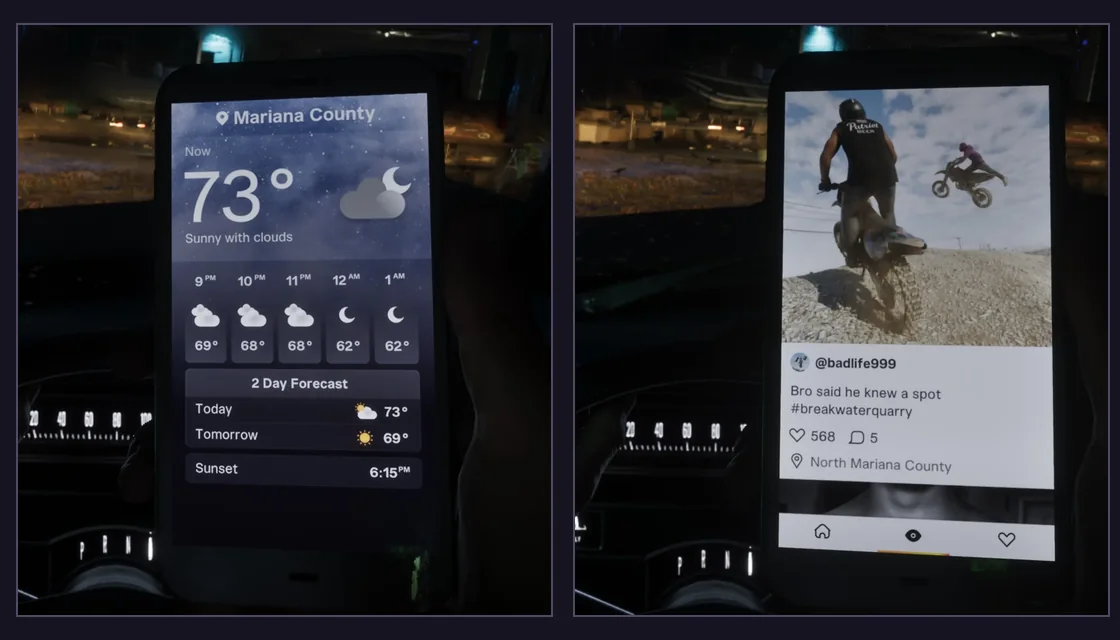
*Screenshots: ViceManual. Game imagery © Rockstar Games.*
When you’re playing on foot, holding Up is a separate shortcut for WAiNK under the default controls. A quick tap brings up the home screen. See our console button layouts for context-specific controls, or our radio and podcasts guide if you’re looking for audio playback. For the stats shown in the Fitness app, see how GTA VI’s fitness systems work.