PlayStation’s GTA VI listings separate voice from screen text. The U.S., U.K., and New Zealand PlayStation Support tables list English voice audio. Available text depends on the listing you’re checking. In particular, the Japanese PlayStation Store’s Standard Edition lists English voices and English or Japanese screen text.
Compare the listings before buying
| Store or support page | What it lists |
|---|---|
| PlayStation Support U.S., U.K., New Zealand | English voice and 12 text languages in the tables we checked |
| PlayStation Store Japan, Standard Edition | English voice. Japanese and English screen text |
| Xbox Store U.S., Standard Edition | 13 supported languages. The public listing gives a total without a voice-and-text breakdown |
The PlayStation Support tables for the U.S., U.K., and New Zealand listed English, French, German, Italian, Korean, Polish, Brazilian Portuguese, Russian, Simplified Chinese, Traditional Chinese, Spanish (Mexico), and Spanish (Spain) when checked. For a specific language, use the information on the exact product page or regional copy you plan to buy.
What to check on your own copy
1. Open the game’s product page for the country attached to your console account. Check the Voice and Screen Languages fields separately where the store shows them.
2. If you’re buying a boxed PlayStation copy, check its code region before redeeming it. Rockstar lists region restrictions for PlayStation codes. See Rockstar’s editions FAQ and Project VI’s boxed-code walkthrough.
3. Once the game is running, open Pause Menu → Settings → UI → Subtitles & Captions to choose when subtitles appear and adjust their presentation. For the text size, captions, and speaker-name controls, see Project VI’s accessibility guide.
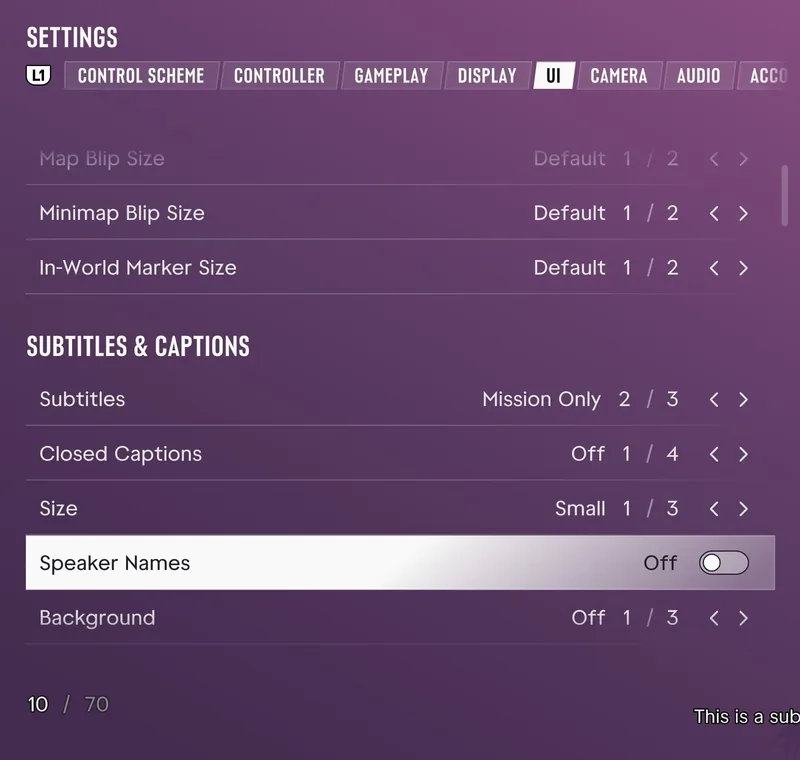
*Screenshot: ViceManual, captured on PS5. This menu adjusts subtitle presentation. The store’s Screen Languages field tells you which translations are listed for your copy.*