Sony’s GTA VI troubleshooting page covers two different launch problems on PS5: a download that will not finish and a game that installs but stays locked. Start with the checks below before deleting a large preload.
| What you see | First check |
|---|---|
| Your game shows a countdown | Check the unlock in your region and in the library tied to your purchase. |
| The download shows no progress | Open Downloads/Uploads, select GTA VI, then pause and resume it. |
| The game is installed but locked | Confirm the purchasing account and restore its license. |
| An error code keeps appearing | Record the exact code and look it up in PlayStation Support. |
If the download stalls
Check PlayStation service status first. If there is an alert affecting downloads or the Store, wait for that service to recover. Then check Settings → Storage and compare your free space with the requirement shown under GTA VI’s product page in your library. Also check for the required PS5 system software update.
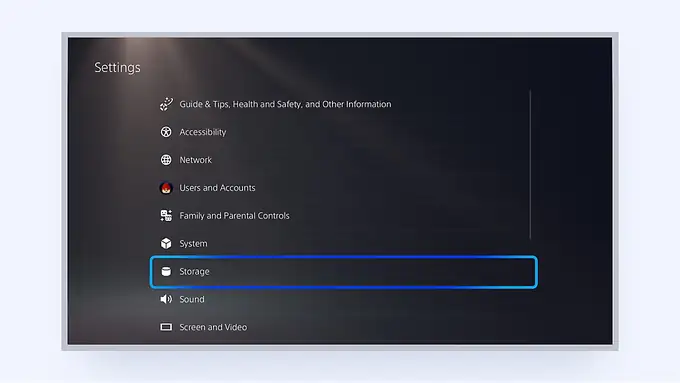
*Storage menu example from PlayStation’s GTA VI support hub.*
If pause and resume fails and PlayStation is operating normally, Sony’s next step is to cancel the stuck download and start it again from Game Library. Use that step for a failed transfer. A finished installation with a padlock is a different problem.
If the installed game stays locked
1. Confirm you’re using the account that bought GTA VI or redeemed the code. If another account on this PS5 owns it, check Settings → Users and Accounts → Other → Console Sharing and Offline Play from the owning account.
2. Highlight GTA VI, press Options, and choose Restore License if it appears. You can also open Settings → Users and Accounts → Other → Restore Licenses.
3. If it still fails, use Sony’s PS5 error-code lookup. Sony also lists Clear Cache and Rebuild Database in Safe Mode for persistent download problems. Follow the exact option name and avoid the reset options, which erase console data.
For retail code issues, see how to redeem a boxed GTA VI copy. If Sony is reporting a broad incident, see our PlayStation Network outage coverage.